
Hosting AI models in Azure
So far Azure was giving the opportunity to host AI model in two ways : Model as a service (where you pay per token usage) and managed compute where you pay per core hours from the compute creation since the deletion.
Azure has introduced a new offering, Serverless GPUs, which became generally available (GA) in March 2025. This solution sits between pure as-a-service and VM-based hosting, providing a powerful way to run GPU-accelerated workloads in a fully managed, scalable, and easy-to-use environment.
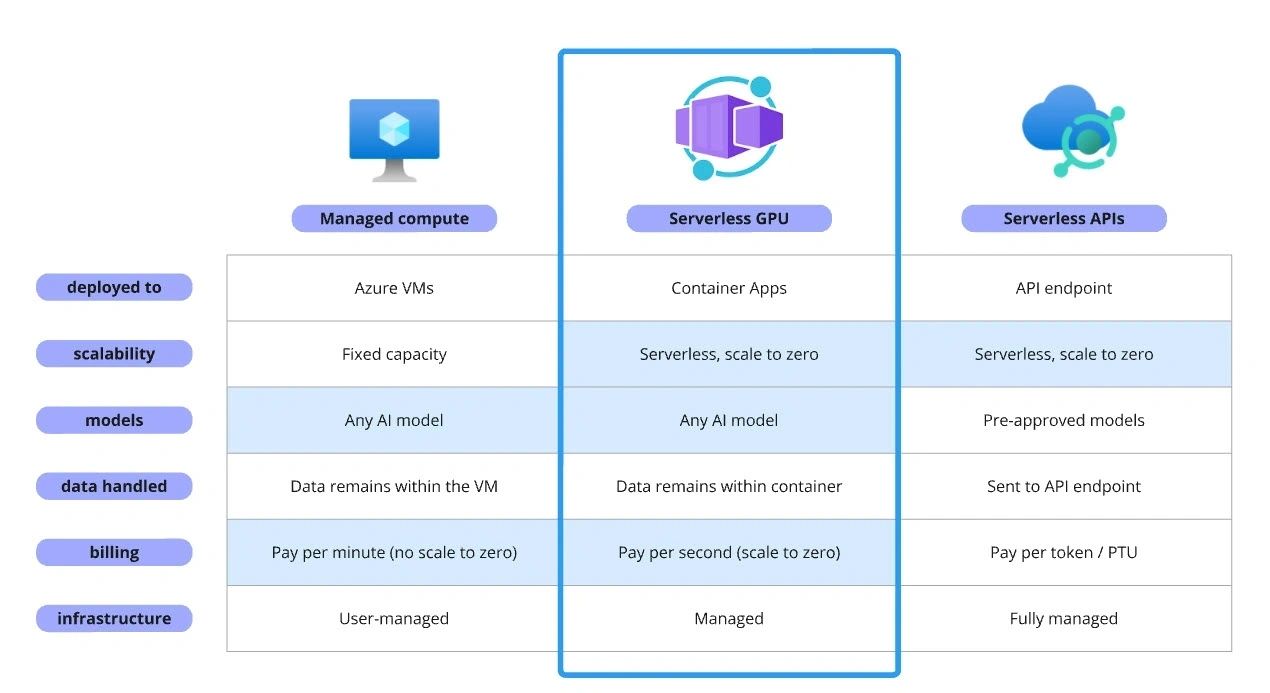
The key benefits of Serverless GPUs in Azure Container Apps are:
- Serverless Scalability: Like other Azure Container Apps, serverless GPUs provide autoscaling, allowing workloads to scale down to zero, saving costs.
- Managed Infrastructure: Azure provides the infrastructure that provides consistent performance, robust security, and reliable operations. Azure handles the infrastructure upgrades along with the pre-installed libraries (e.g. CUDA), reducing the operational burden.
- Consumption-Based Billing: Per-second billing ensures you only pay for what you use, making it a cost-efficient solution.
- Data Governance & Compliance: Supports self-hosted data scenarios, ensuring sensitive data remains in your controlled containerized environment.
- Support for Custom Models: Unlike pre-built serverless APIs with limited model support, Service GPUs enable users to deploy any AI model from platforms like Hugging Face.
Hosting HuggingFace text generation inference
Serverless GPUs on Azure Container Apps enables a range of AI-powered workloads, including real-time and batch inferencing for deploying and serving LLMs, fine-tuning AI models to tailor large SLM and LLM models for specific business needs, and high-performance computing for tasks such as weather forecasting, physics simulations, and large-scale video processing.
To try out this new feature we are going to run the HuggingFace TGI for deploying and serving a Mistral model.
The deploy procedure is simple as expected. First, add new workload profile to your container app environment selecting the GPU that fits your workload. At the time of writing two GPU options are available
- NVIDIA T4 GPUs: These are cost-effective and best suited for smaller models. They provide about one-fourth the performance of A100 GPUs but at one-eighth the price, making them an excellent choice for price-sensitive applications.
- NVIDIA A100 GPUs: These are optimized for large-scale AI tasks, such as Large Language Model (LLM) inferencing and fine-tuning. They provide higher computational power and are necessary for workloads that exceed the memory and compute capabilities of T4 GPUs.
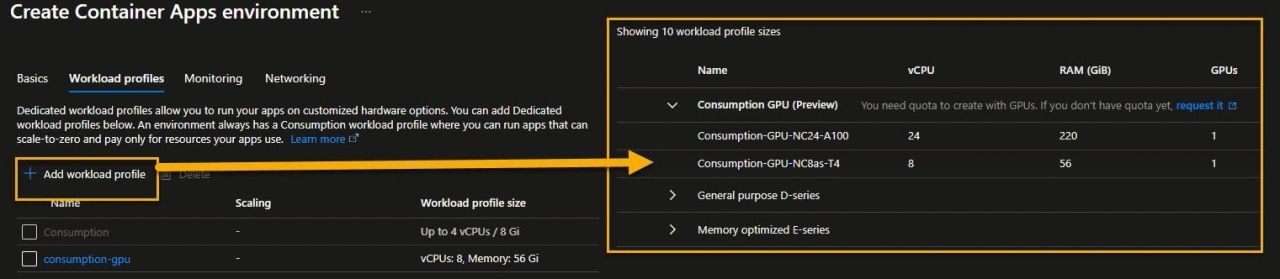
Secondly, spin up a container app to run the text generation inference endpoint.
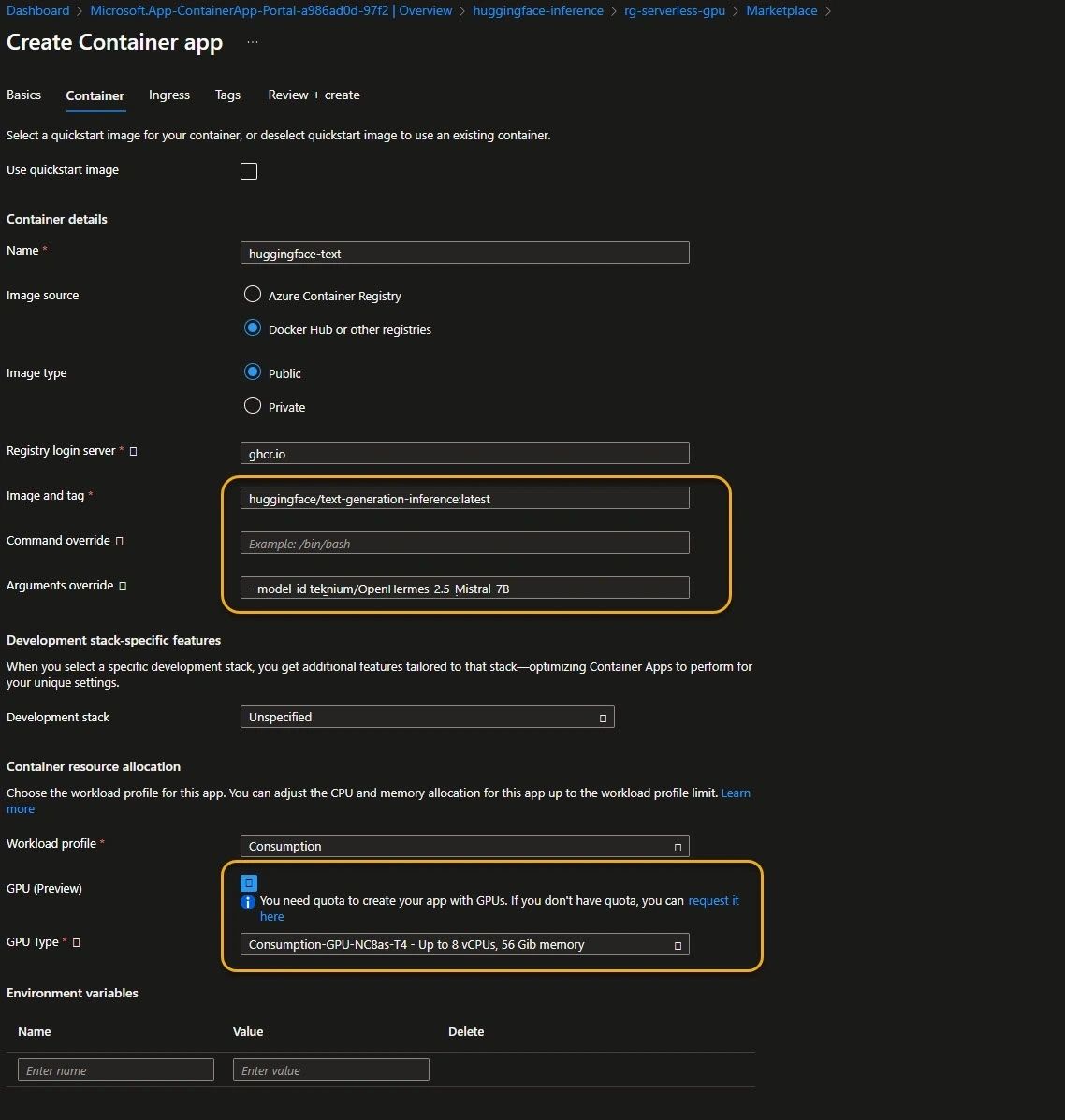
The deployment process is pretty simple. We need to configure the TGI image, the AI model to be hosted and the GPU workload profile. Note that multiple apps can share the same GPU consumption profile.
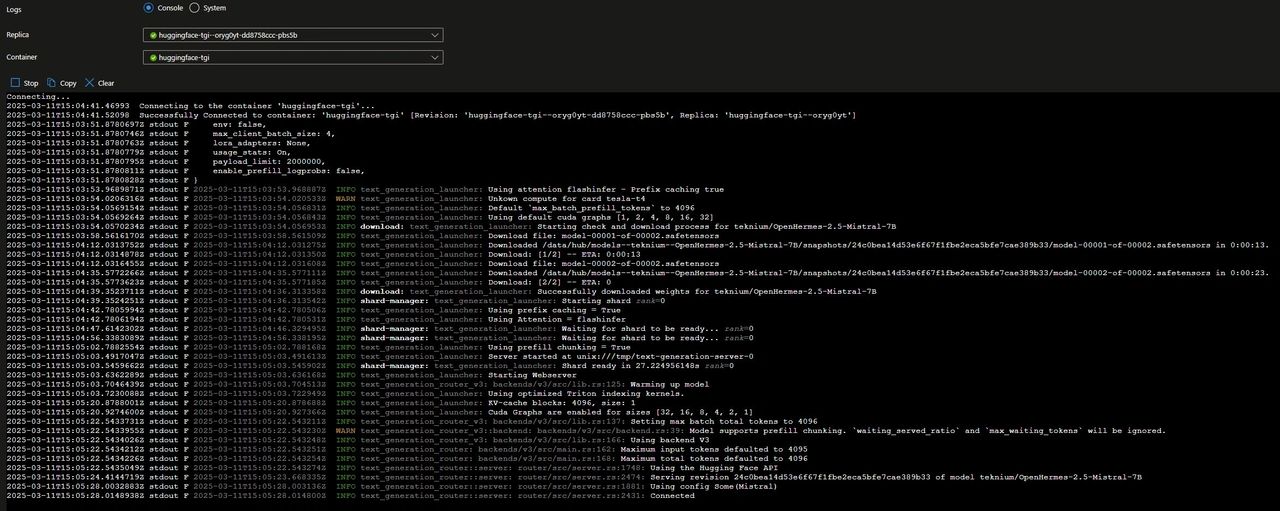
Container Apps provide a good balance between infrastructure abstraction and control, offering the tools to inspect, monitor, and securely connect containerized workloads. In the following example we leverage the Log Stream feature to access and inspect the stdout output.
Now that our inference endpoint is running, we can test the text generation by running a curl command to query the LLM.

For improved observability, Azure Container Apps provide the option to enable a managed OpenTelemetry agent (OTEL collector), which decouples signal collection from the OpenTelemetry destination. This agent runs within your Container Apps environment and exposes an OTLP endpoint, which ACA apps can use to integrate logs, traces, and metrics..
HuggingFace’s TGI is instrumented with distributed tracing using OpenTelemetry. By simply setting the “—otlp-endpoint” parameter with the managed OTEL endpoint (http://k8se-otel.k8se-apps.svc.cluster.local:4317) we can seamlessly forward the observability signals to Application Insights.

Some things to keep in mind
- Avoid cold start times by enabling ACR artifact streaming and, when possible, by sharing a volume with the container to prevent downloading weights on every run.
- Monitor the workload to track GPU utilization, determine the optimal GPU profile for your workload, and fine-tune scaling policies accordingly.
- Be aware that Serverless GPUs are available only in limited locations (West US 3, Sweden Central and Australia East).
- Currently, Azure supports horizontal scaling, meaning users can spin up (manually and automatically) multiple instances of A100 GPUs to meet computational demands. Vertical scaling, where multiple GPUs are attached to a single node, is not yet available.
Conclusion
Serverless GPUs on Azure Container Apps is a great addition to the AI engineers toolbox giving access to a flexible option to run their AI workloads. A key differentiator in Azure’s GPU offerings is its consumption-based model, as opposed to dedicated capacity. This consumption-based model ensures flexible and efficient resource allocation.