
Radius: a first look
Last week the Azure Incubation team announced Radius, an open-source application modelling framework that offers the ability to describe, deploy and manage applications on private clouds, Azure, and AWS, with Google Cloud support on the horizon.
Radius in a nutshell
- Radius decouple the application from the infrastructure enabling the developers to focus on application’s components and their relationships taking away the infrastructure complexity. The goal is to simplify application development by abstracting infrastructure complexity.
- Developers describe their applications in a Bicep file, including containers, databases, and their connections.
- Kubernetes is the hosting platform for the the Radius control plane and for the applications modeled and managed by Radius.
- Applications are bound to an environment (e.g. Kubernetes ) and to a specific infrastructure recipe ( LocalDev, Azure, Aws, …)
- Operators define the infrastructure recipes. Recipes can be seen either as an helm chart or a bicep/terraform module.
Create a new environment
To get started with Radius, you first need to install the RAD cli (instructions here) and have a Kubernetes cluster (K3S, K3D, Kind, AKS, …) where to deploy the Radius control plane.
Run the “rad init” command to
- Create a new environment. Radius Environments are prepared target configurations. An environment specifies the container runtime, configuration (for example the list of allowed recipes), and other settings like identity provider. By default, the new environment is named default and creates a ‘default’ namespace on the connected Kubernetes cluster.

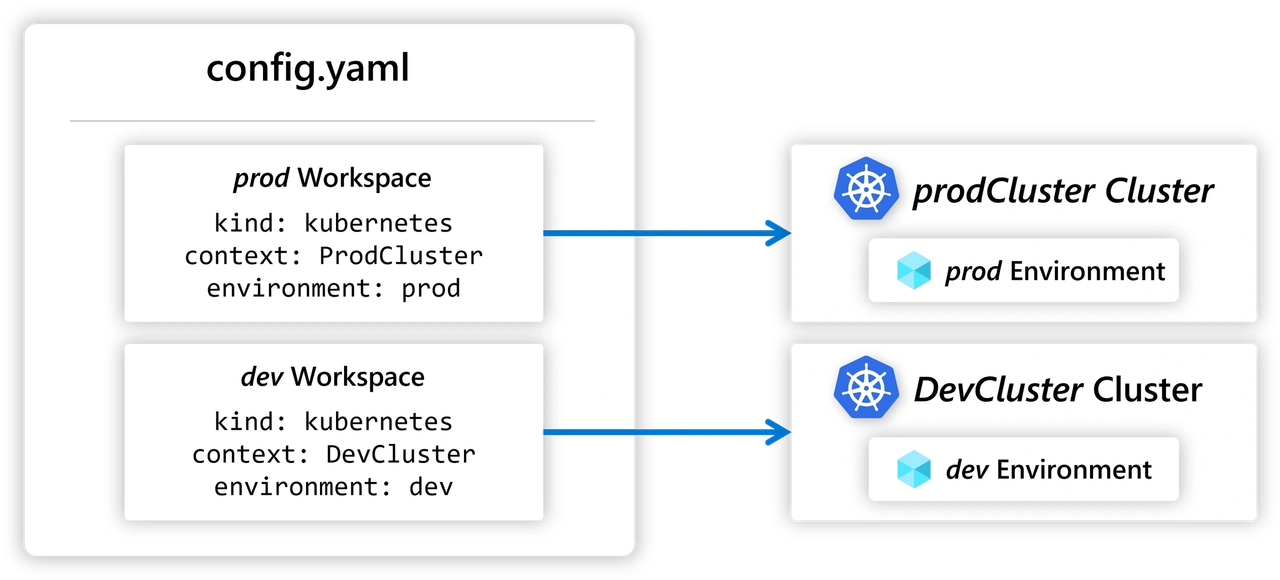
- Create a new workspace. Workspaces are meant to facilitate the platform operations by allow you to manage multiple Radius environments using a a configuration file.
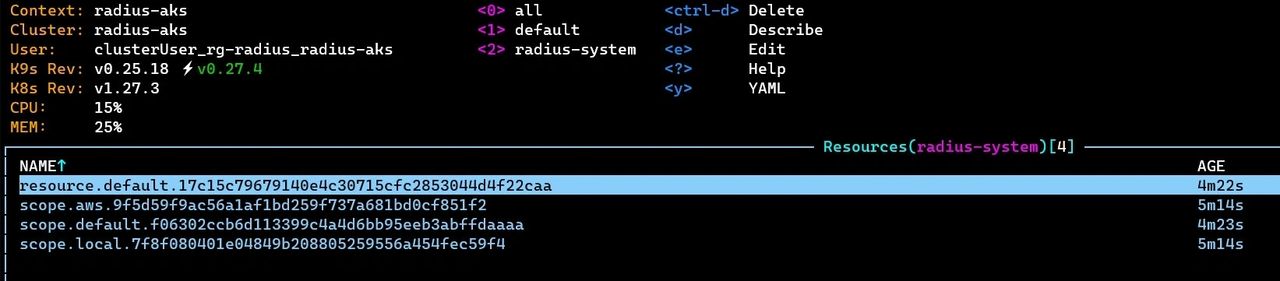
- Installs Radius control plane to the Kubernetes cluster in the radius-system namespace. The following pods are created in the radius-system namespace.

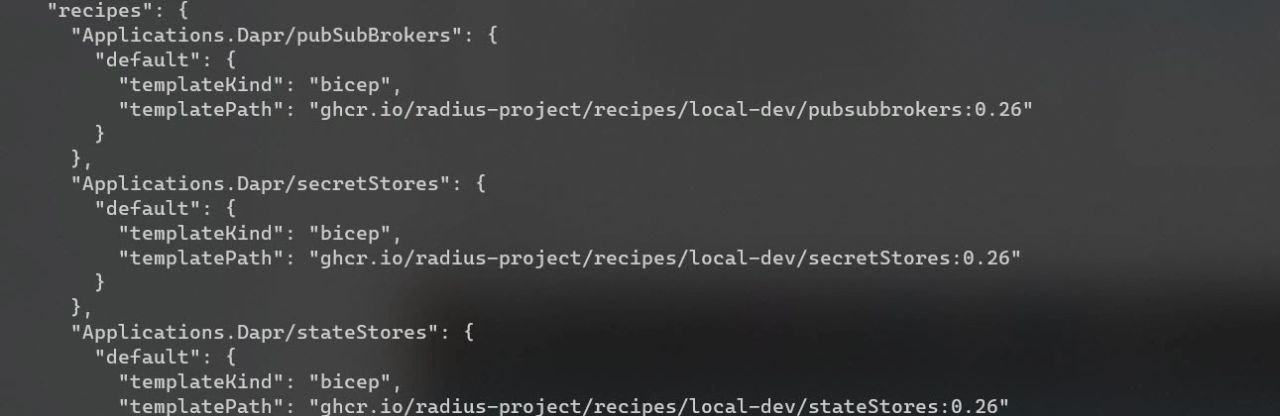
- Associates the local-dev recipes to the “default” environment (rad env show default -o json).
If you want to have a better control on your configuration you can either run the “rad init —full” or run a sequence of single commands like “rad install, rad env create, etc…”
For this exercise I used the “rad init” command but when I was asked whether to create a new application I selected ‘No’ to have a better control on the application creation. The different objects managed by Radius can be found in the universal control plane CRD : “resources.ucp.dev”.
Create a Radius app
An radius application is a way to model how your cloud-native application looks like. A Radius app can contain multiple containers (for example a backend and a frontend), a datastore (f.e SQL) a gateway (how to expose the application to the external world) and how those resources are connected to each other.
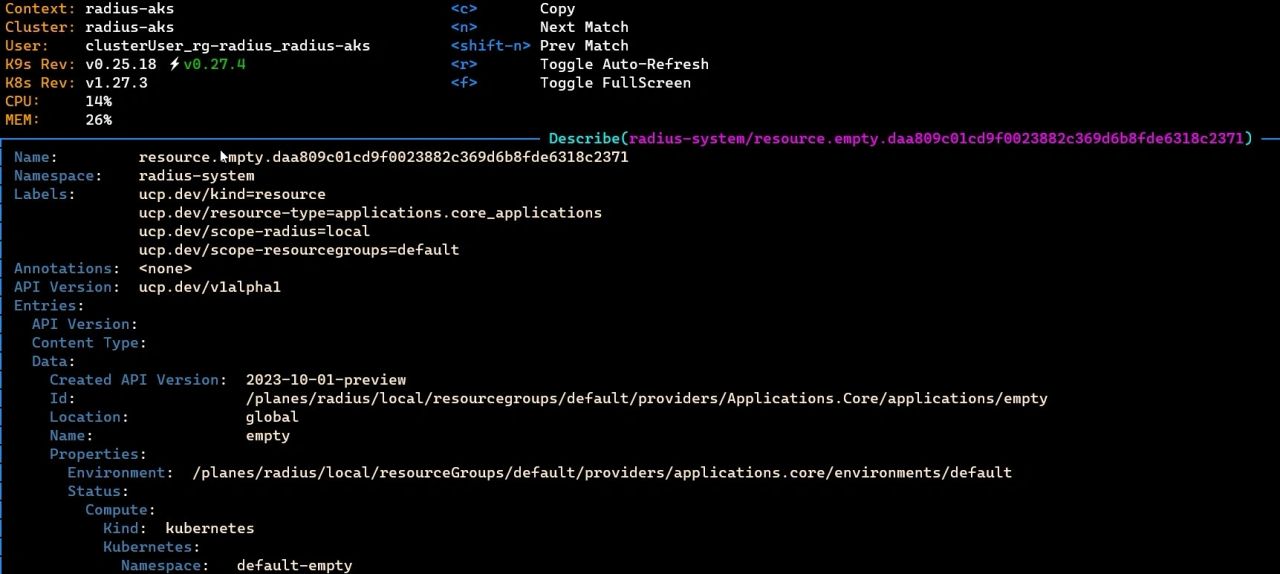
- Create an empty Radius application by executing the following command “rad deploy empty.bicep —environment default”. As result of the deploy a new namespace has been created (“default-empty”) and the empty resource in the UCP. Note : by default Radius concatenate to the application name to the namespace associated to the environment. You can change this behavior by adding the ’ kubernetesNamespace’ key to the extensions property of your Radius application.
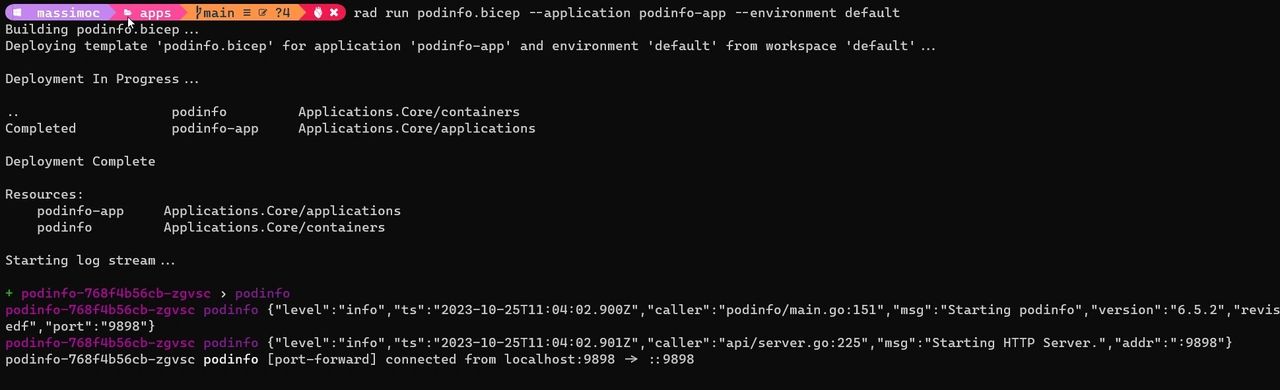
- Let’s now add a single container to our app (see example) and execute the following command “rad run podinfo.bicep —application podinfo-app —environment default”. Note that instead of using the “rad deploy” command, at this step we are using “rad run”. This is easiest way to deploy and perform a first test of your Radius application because the run command will trigger the app deployment, enable the port forwarding and stream all the log to your development console.
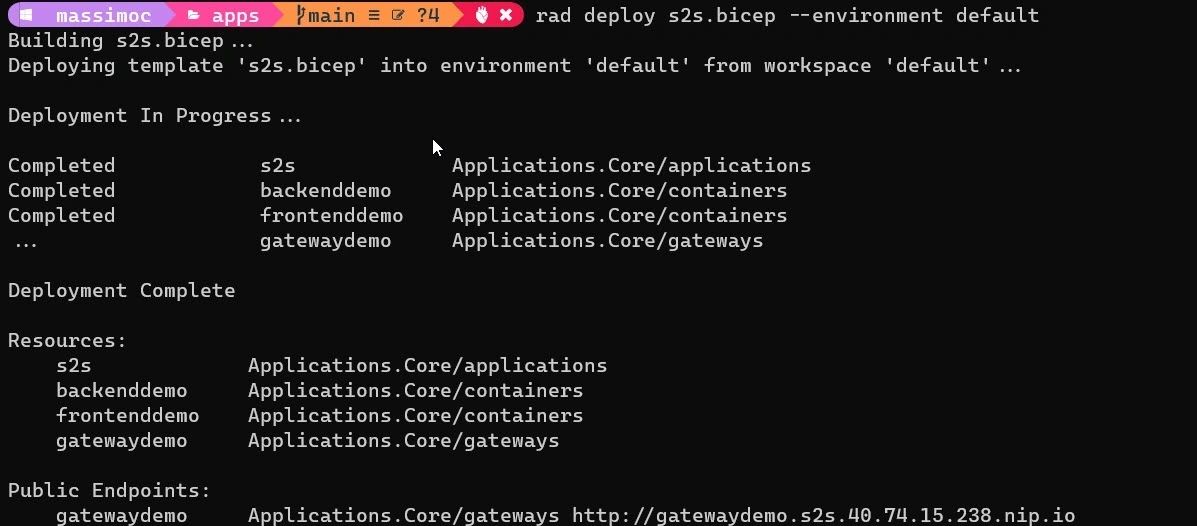
- As a final step, to make our application available to the outside world, let’s add a gateway resource. Run the “rad deploy s2s.bicep —environment default” command to deploy this third example. Under the hood Radius uses Contour and Envoy to expose the application using a load balancer service. To provide a better developer experience Radius leverage nip.io to give an FQDN to your application. For more professional environments it is advised to set up your own domain name and add the TLS termination to the gateway.
Recipes
One distinctive feature of Radius is its ability to fully describe an application, including resources like message queues and state stores. When a developer add a database to the application doesn’t need to specify how or where to run the underlying infrastructure. The Radius Environment and its Recipes take care of that for you. Just like how the Radius Environment bound your container to a Kubernetes cluster, it also deploys and binds your database to underlying infrastructure using Recipes.
Developers define what they need (Mongo, Redis, …), and operators define how it will be deployed (Azure/AWS/… ) by creating preconfigured environments.
For example you might have a setup like the following:
- An APP deployed on LOCALDEV environment will use the REDIS recipe assigned to localdev to configure the Redis image on K3D or on AKS (depending on the connected context).
- An APP deployed on AZUREDEV environment will use the REDIS recipe assigned to azuredev to configure the Cloud managed Redis on the Azure.
You can find some recipe examples on this repo: https://github.com/radius-project/recipes/tree/main. You can see recipes as an alternative to helm charts or a wrapper on top of AVM modules and terraform modules.
How was my first experience with Radius?
Pros
➕ You can quickly deploy an application to Kubernetes without any YAML and Kubernetes networking knowledge.
➕ You can deploy your application and the Azure infrastructure using a single language (bicep).
➕Radius looks very promising and I am looking forward to see all the new features, resources and recipes that will be added in the coming months. It’s also interesting to see whether there will be an integration with Azure Container Apps to make an application extremely portable in the Azure context.
Doubts
🤔Recipes sounds like an alternative to helm chart without the maturity of helm.
🤔Bicep is the modelling language used by Radius. Will Bicep get any traction outside the Azure community ?
🤔Radius is in principle cloud neutral but on the other hand the universal control plane (UCP) is based on the Azure Resource Manager deployment engine which is a Microsoft proprietary service. Microsoft plans to open source this resource manager somewhere in 2024.
🤔The abstraction, which is a benefit for developers, might be a blocker for cluster operators that will have to deal with concepts split on different resources. How radius will fit in the GitOps movement?
Conclusion
In conclusion, Radius is an very interesting open-source application platform that aims to be the infrastructure pain-killer for developers by separating the application modelling from the infrastructure implementation. Radius leverages Kubernetes and offers the flexibility to deploy applications on various environments, making it a promising tool for cloud-native development.
Photo by Chris Linnett on Unsplash