
Karpenter provider for AKS
Efficient scaling of Kubernetes nodes is crucial for optimizing resource utilization and controlling costs. On November 6th, Microsoft made a significant announcement by introducing the Karpenter provider for AKS, a key step in making node scaling more dynamic and efficient. Let’s try it out!
Autoscaling in Kubernetes
Autoscaling in Kubernetes is a feature that allows a cluster to automatically change the infrastructure or application configuration in response to users or operators demand.
There are three common scaling solutions in Kubernetes :
- Horizontal Pod Autoscaler (HPA): Scaling the application by adding or removing pod replicas.
- Vertical Pod Autoscaler (VPA): Automatically adjusts the CPU and MEM reservations for your Pods to help “right size” your applications. This adjustment can improve cluster resource utilization and free up CPU and memory for other applications.
- Cluster Autoscaler: Automatically adds or removes nodes in a cluster based on the resources requested by the deployments.
In the AKS context, the Cluster Autoscaler has been the go-to solution so far, however when a new node needs to be provisioned, the Cluster Autoscaler creates a new instance according to the VMSS configuration rather than evaluating the real resource requirements. Karpenter comes with a more powerful and flexible approach based on custom controllers and operators to manage nodes by monitoring the workload.
Create a test AKS cluster
To get Karpenter up and running on Azure Kubernetes Services, let’s follow the procedure on this repo https://github.com/Azure/karpenter
Basically, it’s a four steps procedure:
- Check the prerequisites (VSCode and the GithHub codspaces extension).
- Create a new codespace on the main branch.
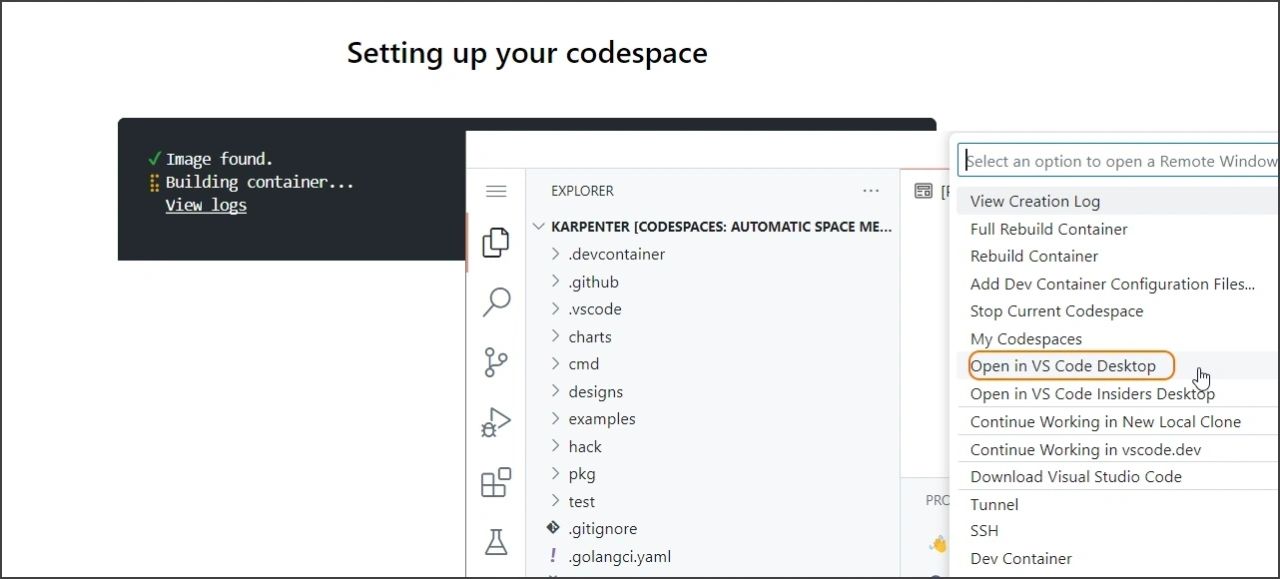
- Configure the target azure subscription (where a new test AKS will be created) by running “export AZURE_SUBSCRIPTION_ID=
” - Execute the build and deployment (make az-all command).
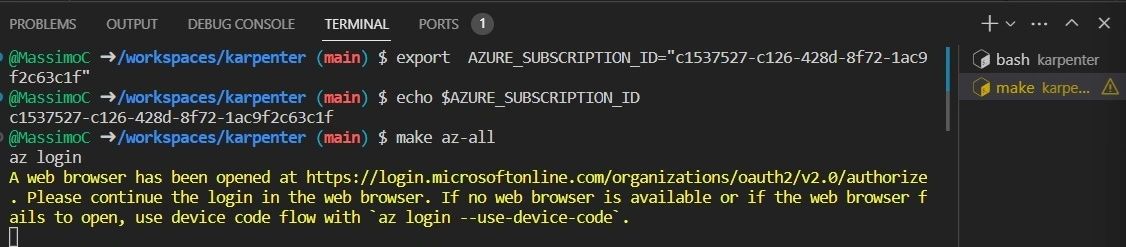
💡IMPORTANT 💡: even if the documentation mention you can customize the region if desired, to play with this current preview it’s advised to stay stick to the default region (westus2) because the hardcoded community gallery named AKSUbuntu-38d80f77-467a-481f-a8d4-09b6d4220bd2 is not available in every region (f.e. it is not available in westeurope).
The make az-all command first create the required Azure resources:
- a resource group named as the GitHub codespace (for example automatic-space-meme-jv4pxwgg5gfp96g)
- a container registry where to publish the Karpenter image (for example automaticspacememejv4pxwgg5gfp96g)
- a kubernetes cluster attached to the ACR previously created

The process continues by building the Karpenter image and then publishing it to the private Azure Container Registry (ACR). Once the image is pre
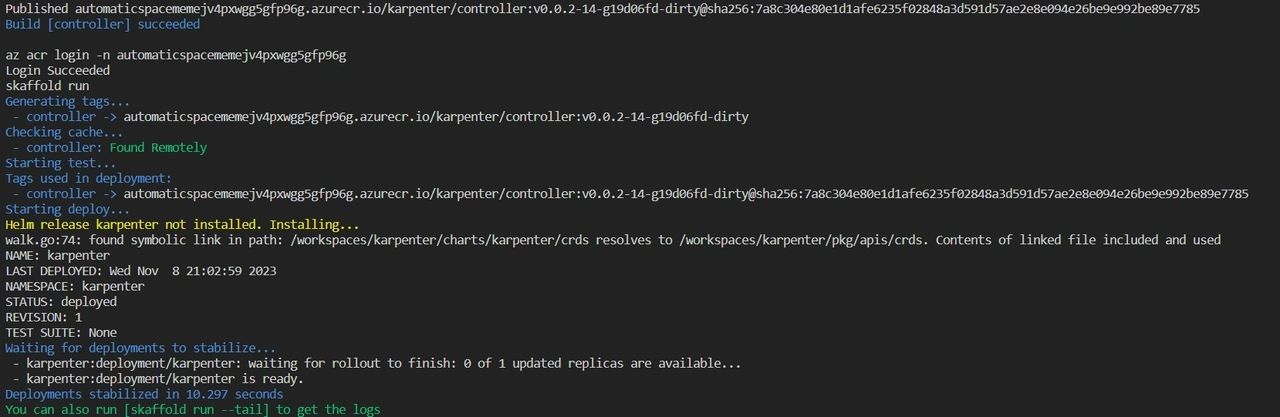
The final step is to deploy the Karpenter configuration (general-purpose.yaml) and a sample application (inflate.yaml).
The general-purpose yaml deploys two resources NodePool and the AKSNodeClass to define which kind of nodes are allower (architecture, os, sku, …) and the AKS image family.

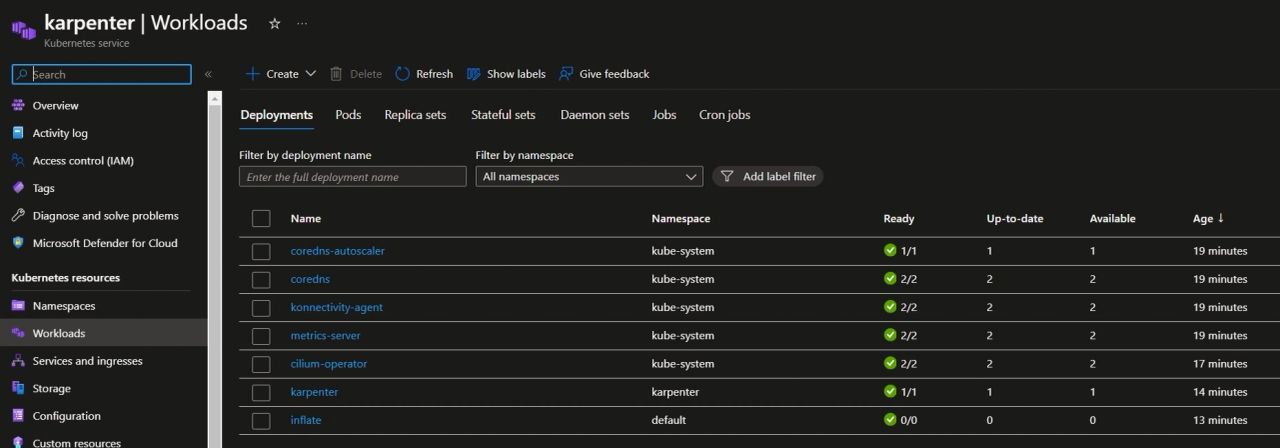
As result we will have a new 3-nodes AKS cluster with the following workloads deployed. The node size for this exercise is a Standard_DS2_v2 meaning 2vCPUs and 7 GiB.
Karpenter on AKS
Karpenter evaluates the aggregate resource requirements of the pods the Kubernetes scheduler has marked as unschedulable and chooses the optimal instance type to run them.
To see Karpenter in action I changed the “inflate” deployment to 4 replicas. The inflate deployment is configured with a container CPU request of 1 vCPU. Our test AKS is configured with 3 small nodes that are hosting system and user workloads therefore it will pretty soon run out of resources. The scheduler will mark the pods as pending.

It’s now time for Karpenter to come into the picture and provision the best node size to satisfy the application needs. Choosing between smaller and larger node types in Kubernetes depends on factors like workload needs, costs, and efficiency. This choice is delegated to Karpenter. By looking at the Karpenter controller logs we can see Karpenter added two new nodes with a bigger size : Standard D4ls v5 (4 vcpus, 8 GiB memory).
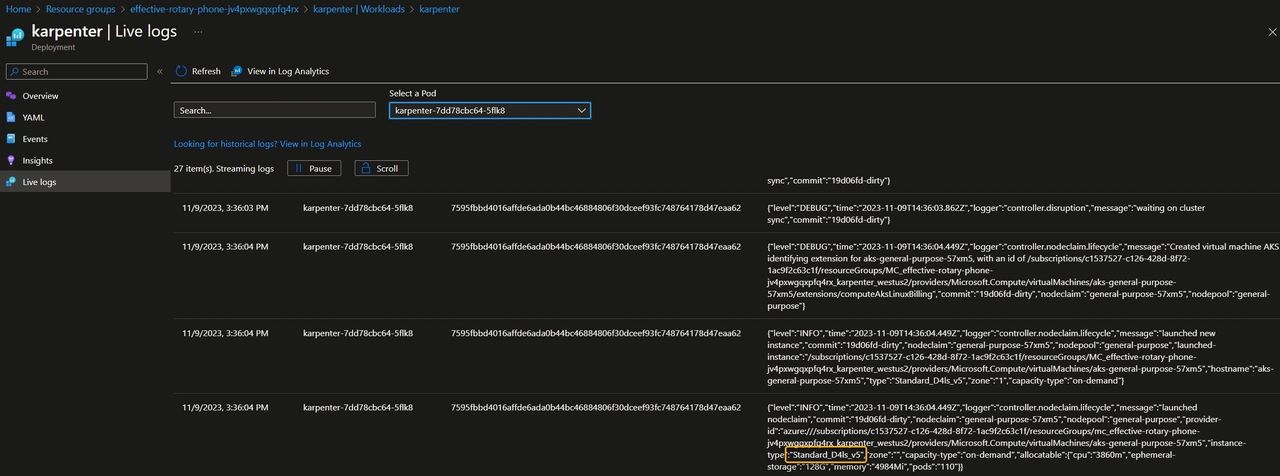
After a couple of minutes two nodes are added and the desired number of replicas are running as expected.
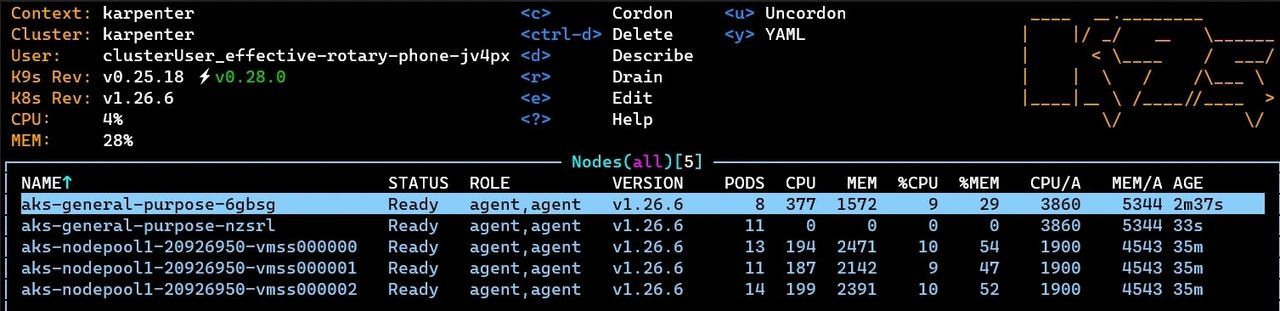
Scaling down is another responsibility of Karpenter to ensure cost-effectiveness and prevent wasted compute resources. After reducing the ‘inflate’ replica count to zero, the Karpenter controller intelligently recognized available resources in the original nodes. It then moved the system workload back to the initial node pool and deleted the new nodes that had been added previously.
Conclusion
In summary, the introduction of the Karpenter provider for AKS by Microsoft marks a significant step in optimizing Kubernetes node scaling. Karpenter’s dynamic resource allocation effectively responds to workload changes, making it a valuable addition to Kubernetes clusters. Karpenter is a powerful tool for modern cloud-native applications. I am looking forward to learn more about Karpenter and see an even better integration with AKS in the coming months.
Happy autoscaling everyone!
Photo by Nicolas Picard on Unsplash